Why are some episodes marked as "Specials" (season 0 / off-season)?
A special episode is an episode that is linked to a show but is not necessarily part of the show's main storyline, and is therefore not required viewing to follow the plot (behind-the-scenes, bonus episode, recap, Christmas special, etc.). It can still be interesting, sometimes to better understand a season finale.
These episodes are usually grouped into a "season 0", shown as "Specials" on BetaSeries, and are preceded by an "S" icon. You can be at 100% on a show by watching them or by hiding them; they only add to your time spent in front of the TV if you mark them as watched.
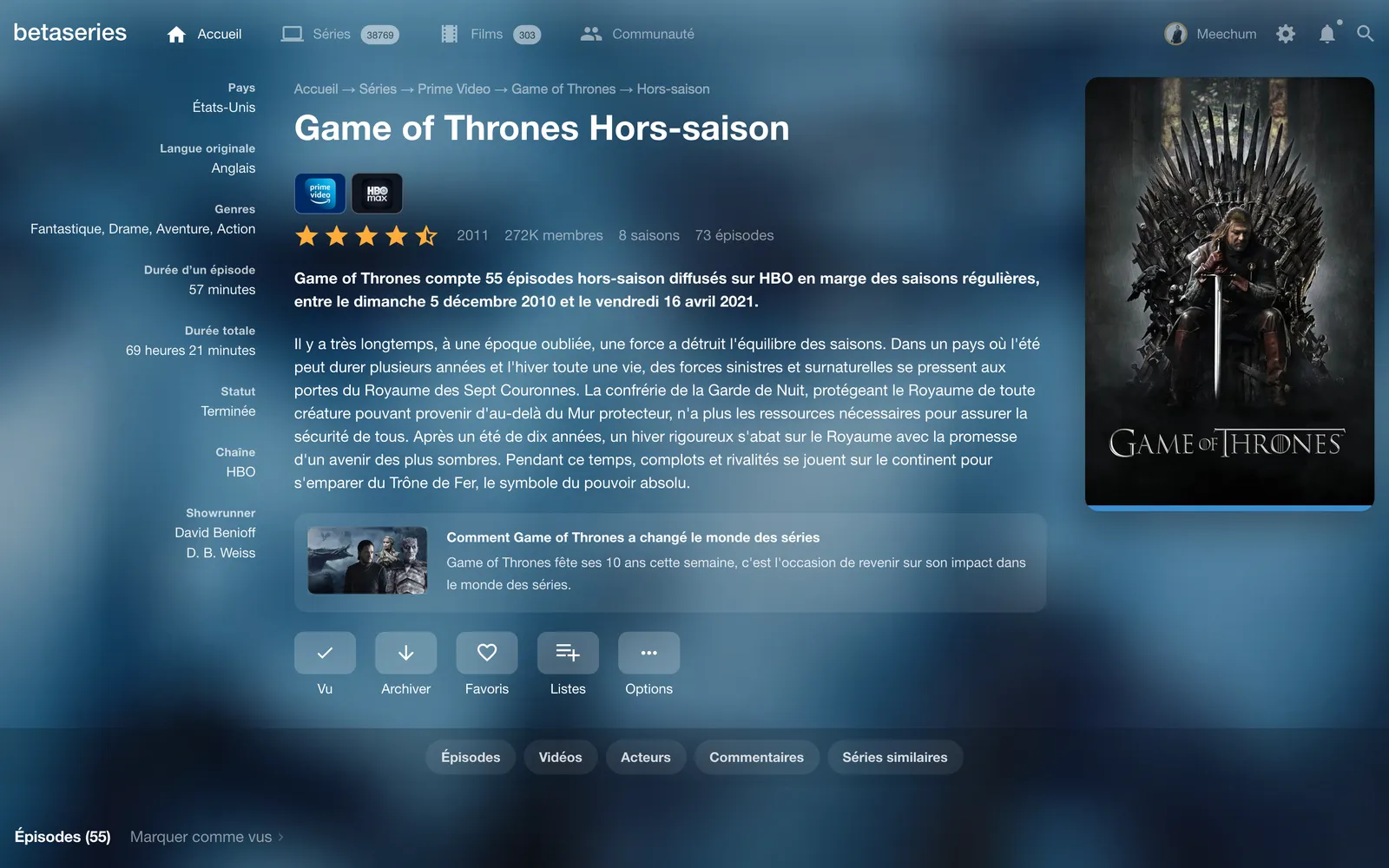
Why do new ones sometimes appear?
It's normal to see some show up from time to time in your episodes to watch:
- a show you follow was updated and new special episodes (season 0) were attached to it;
- you just imported your history (from TV Time, for example): the shows involved then pick up all of their episodes, specials included.
So they didn't "appear out of nowhere" — they are episodes genuinely attached to your shows. If you'd rather not track them, you can hide them or turn off their display entirely (see below).
Turn their display on or off
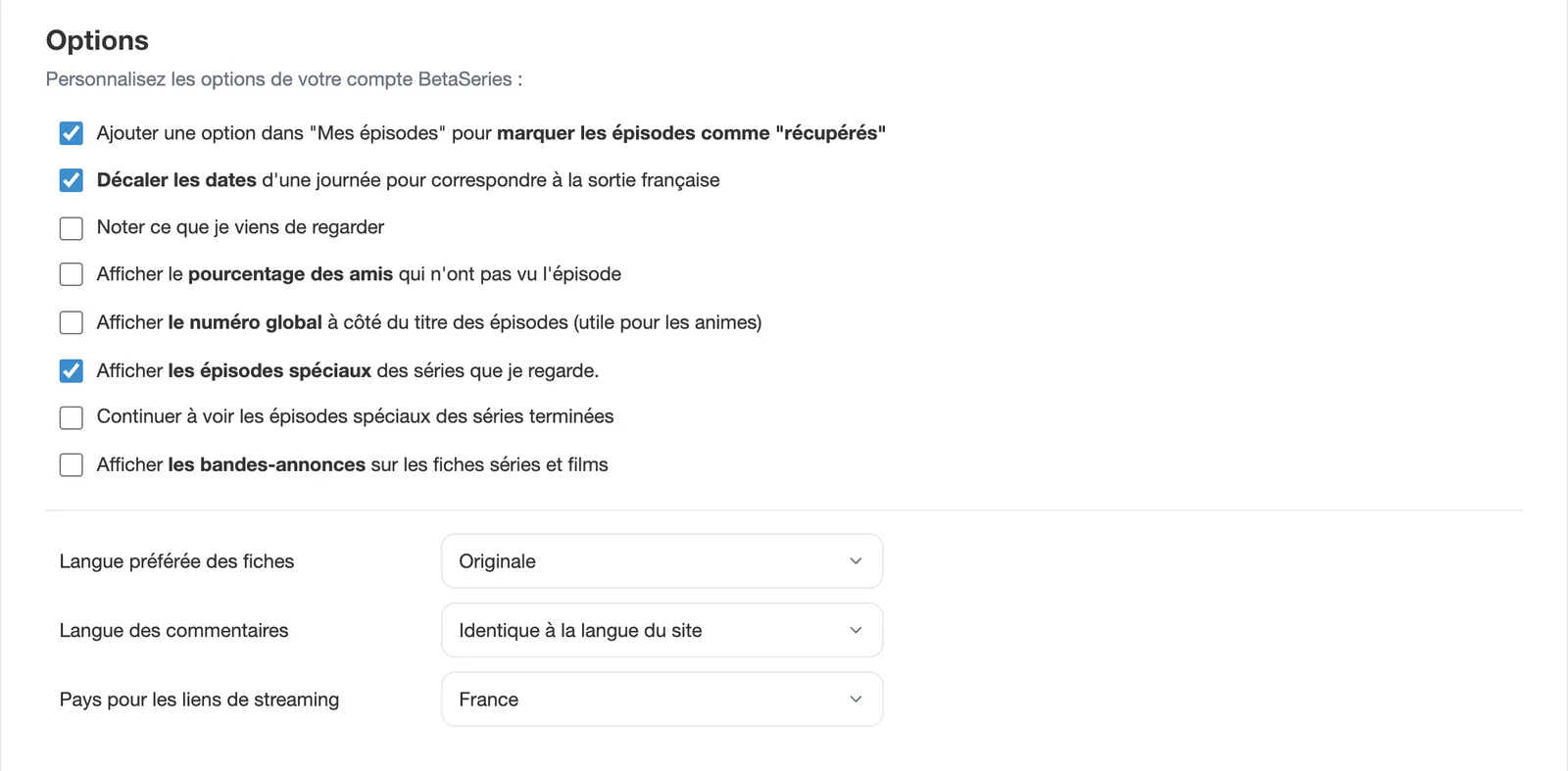
To stop seeing any special episode (season 0 / off-season) in your lists, untick "Display the special episodes of the shows I watch" in your account settings. You can re-enable them in the same place at any time. The "Keep showing specials on ended series" option also lets you choose whether specials of ended shows stay visible.
Hide only specific episodes
You can also hide an episode case by case, directly from the Episodes to watch view or from the episode's page. The menu of a special episode in Episodes to watch also offers "Mark all specials as watched". See How to hide episodes from my to-watch list?.