How to hide episodes from my to-watch list?
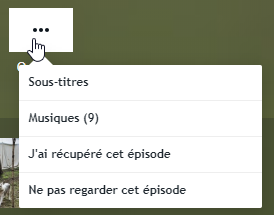
On the Episodes to watch page, by clicking on the three small dots in the bottom right corner of the relevant episode, a popup will appear containing, among other things, two buttons. You can then click on the "Don't watch this episode" button, which will automatically hide it from your to-watch list.

On the page of a specific episode, you can also choose not to watch an episode via the Options button.
If these are specials, you can choose to hide them completely in your account settings.